

The Home Dashboard
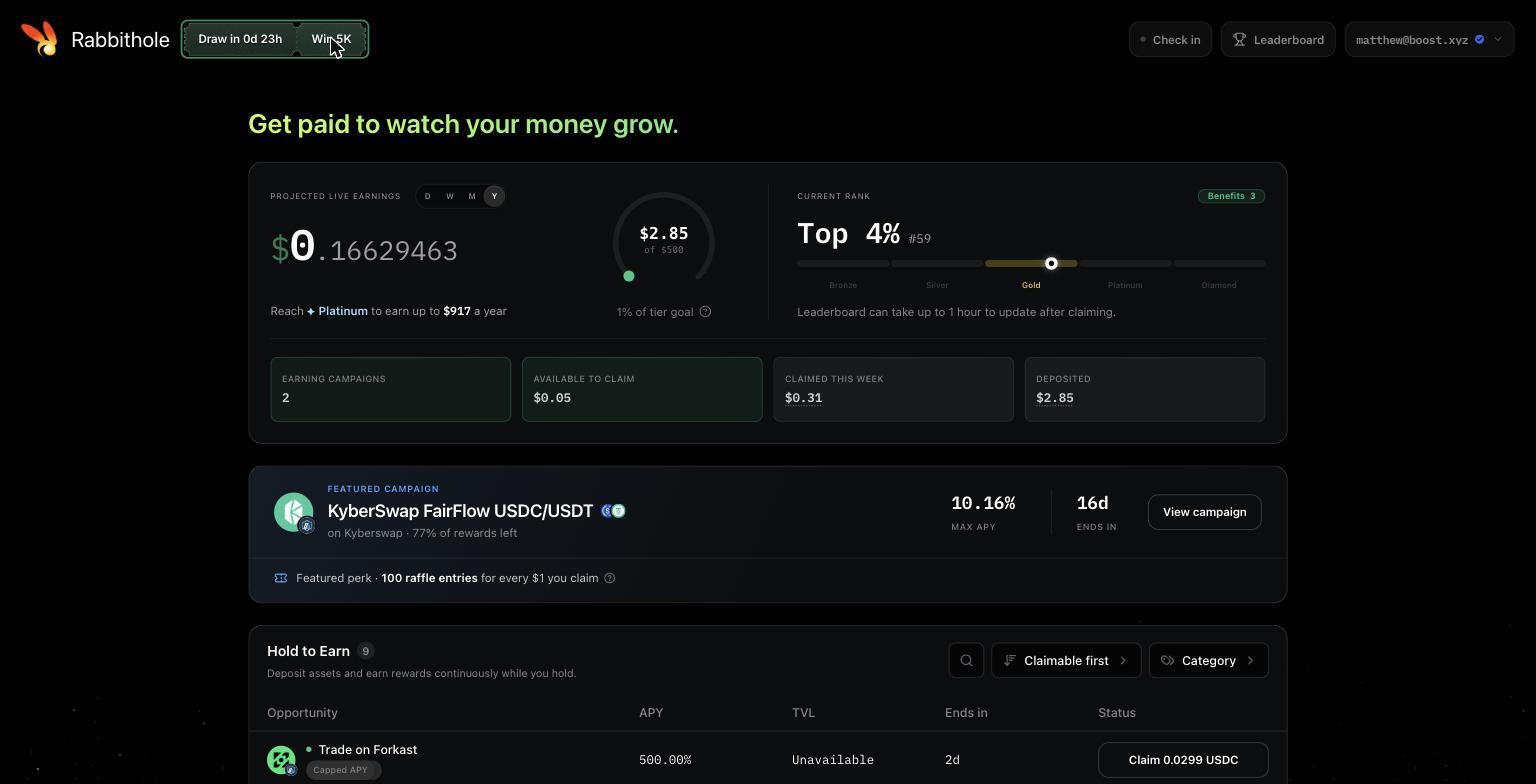
- Projected Live Earnings ticks up in real time as rewards accrue across all your positions. The D / W / M / Y toggle changes the projection window.
- Reach the next tier shows how much more you need to claim this week to reach the next tier, with a ring tracking your progress toward it.
- Current Rank is your position on the weekly leaderboard, your percentile, and your tier on the Bronze to Diamond bar. See Tiers and Leaderboard.
- Stat tiles show how many campaigns you are earning in, what is claimable right now, what you claimed this week, and your total deposited.
- Featured campaign highlights one campaign, sometimes with a
2×or5×raffle entry multiplier on the rewards you claim from it.
The Campaign Table
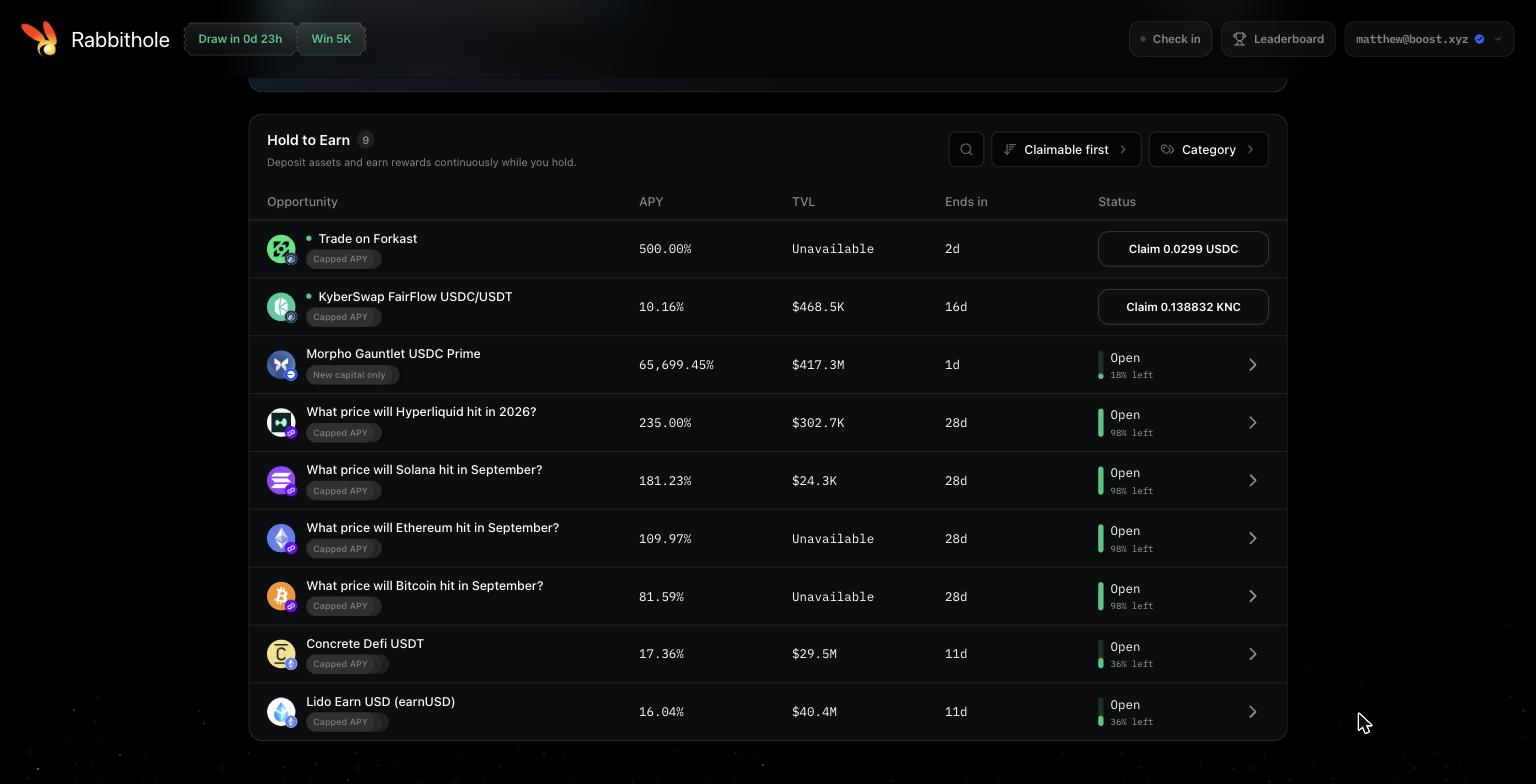
Use the sort control to put claimable campaigns first, and the category filter to narrow by asset type.
Badges
The rules behind these badges are explained for campaign creators in Campaign Modes.
The Campaign Panel
Click a row to open the campaign.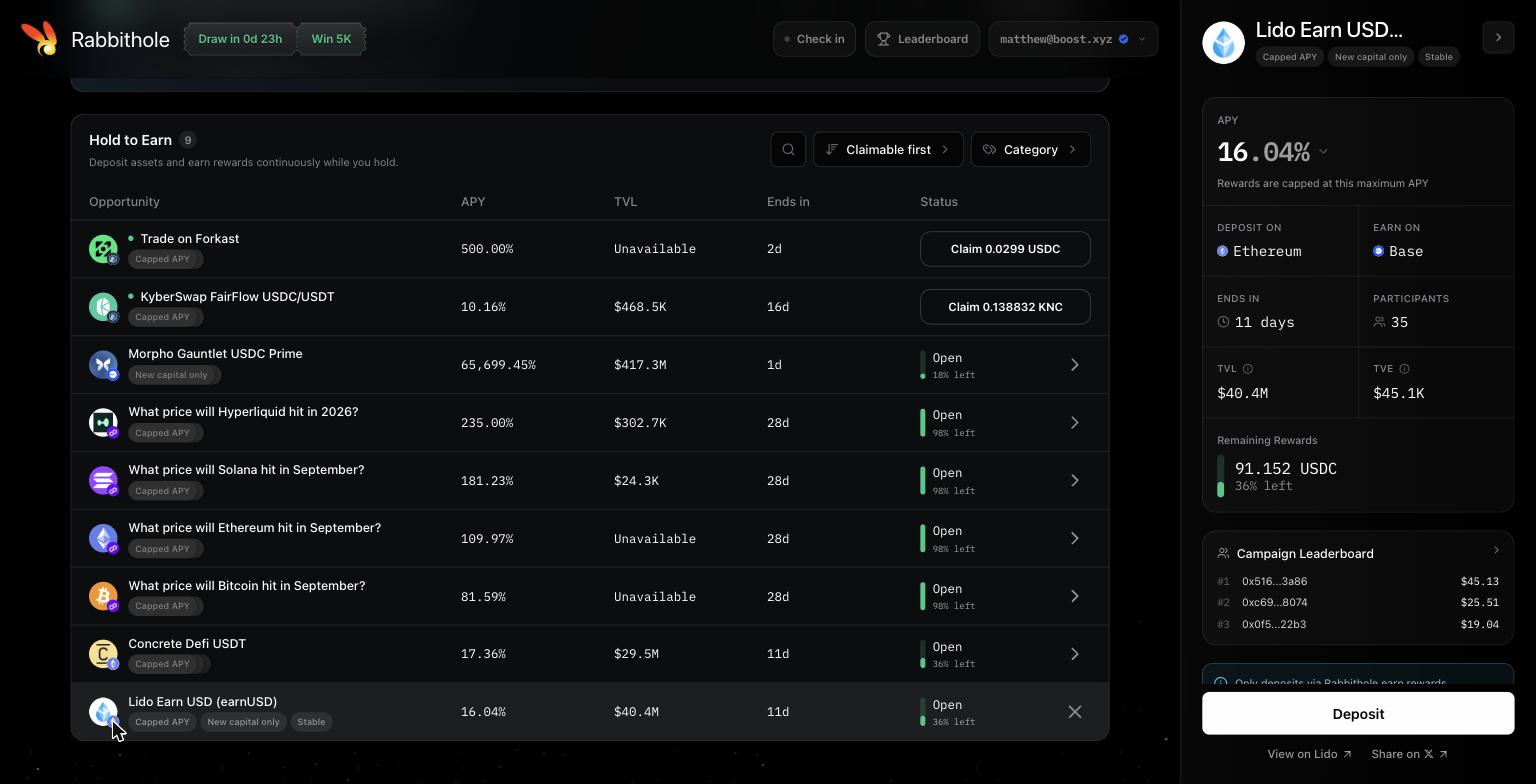
- APY with a note on whether it is capped or fixed.
- Deposit on / Earn on are the two chains involved. You deposit into the protocol on the first and claim rewards on the second. They are often the same chain, but not always.
- Ends in and Participants.
- TVL is the total value in the underlying protocol. TVE is the total value earned through this campaign so far.
- Remaining Rewards is how much of the budget has not been paid out yet.
- Campaign Leaderboard shows the top earners in this campaign specifically.
- Only deposits via Rabbithole earn rewards appears on campaigns with earning activation. Your first deposit has to go through Rabbithole to count. After that you can add, withdraw, or move the position any way you like.
- Details expands the campaign description.
- View on links to the protocol’s own site. Share on X posts a link to the campaign that carries your referral. On campaigns with a referral program, Refer friends and earn a share of what they earn copies the same link.
Depositing
Press Deposit to open the deposit sheet.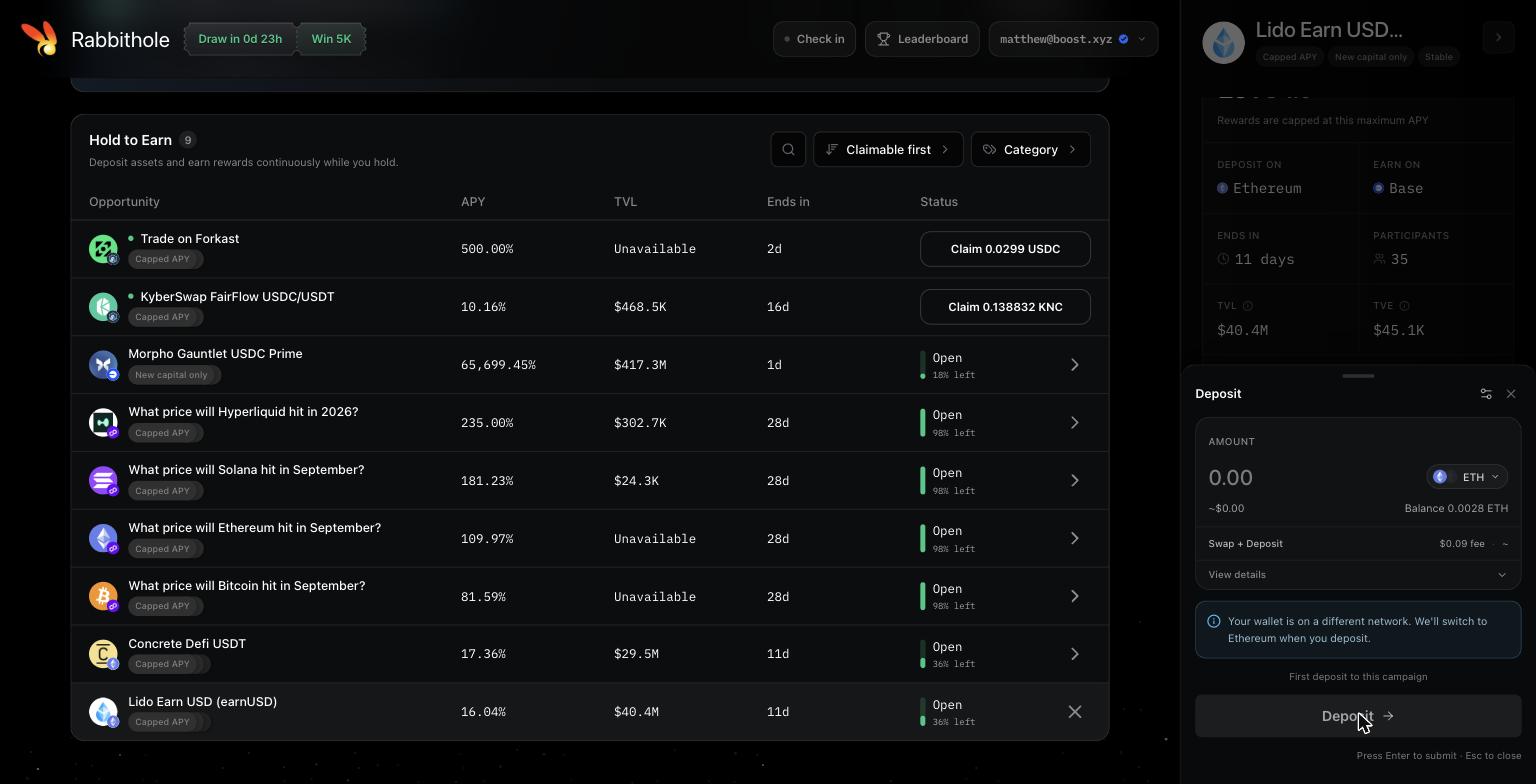
- Amount with 25 / 50 / 75 / MAX shortcuts.
- Token selector lets you deposit any supported token in your wallet. If the campaign needs a different asset, the deposit swaps for you in the same transaction.
- Swap + Deposit fee is the estimated network cost.
- If your wallet is on a different network, Rabbithole switches it for you when you confirm.
You can also deposit directly on the protocol’s site, but on campaigns marked Only deposits via Rabbithole earn rewards those deposits will not earn. When in doubt, deposit through Rabbithole.
Watching Rewards Accrue
There is nothing to do after depositing. Your live earnings counter starts moving, and the APY adjusts as other people enter and leave. If you withdraw part of the position your rate drops proportionally. If you withdraw everything, accrual stops, but every reward you have already earned stays in your balance and remains claimable.Claiming
Rewards become claimable a short while after you start earning and then at regular intervals as the campaign publishes snapshots onchain. When a campaign has rewards ready, its row shows a Claim button, and the campaign panel shows the amount.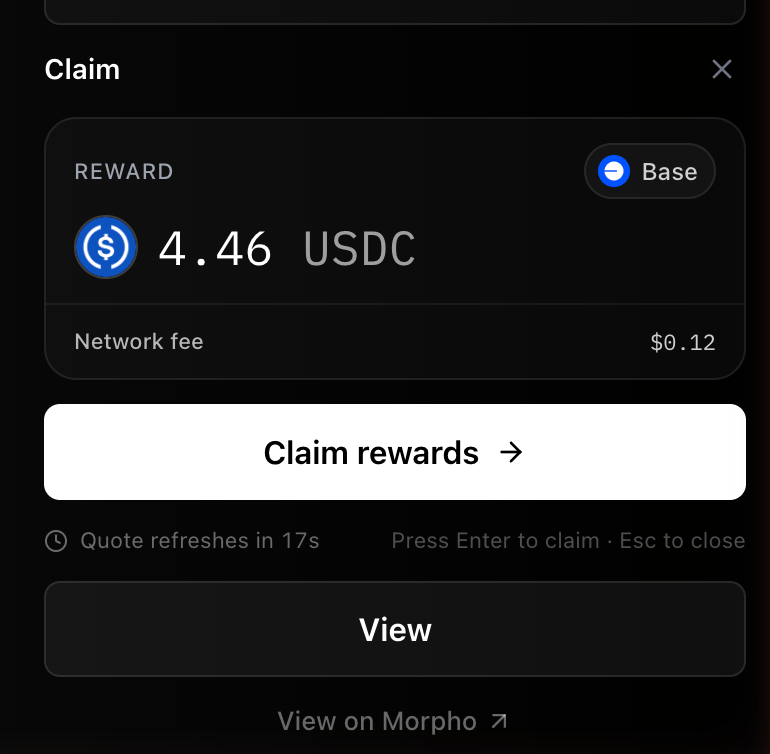
- Reward amount is everything published and not yet claimed, in the campaign’s reward token.
- Network fee is the gas estimate for the claim, refreshed periodically.
- Claim rewards submits the transaction on the Earn on chain and sends the tokens to your wallet.